
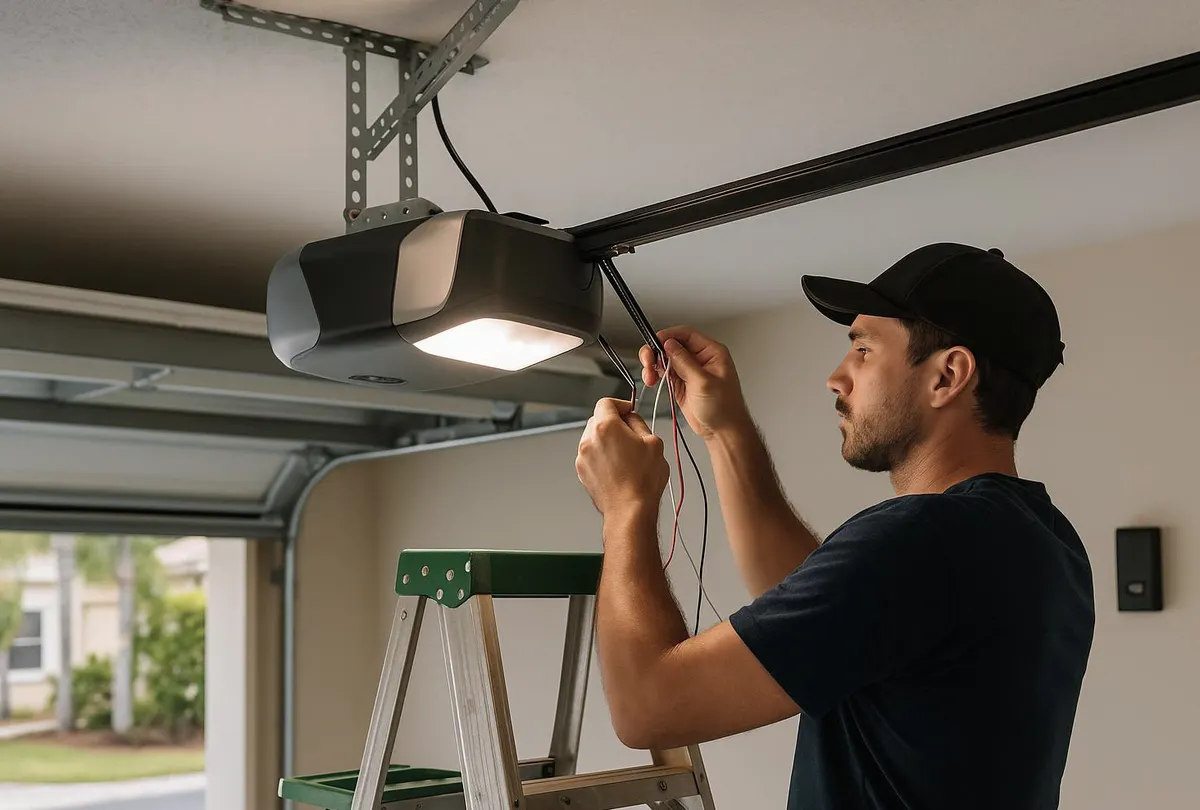
If a remote is lost or stolen, the fix is simple: erase all stored codes from your garage door opener using the Learn button, then reprogram only the remotes and keypads you still have. Most homeowners can do this in under 15 minutes with no tools beyond a ladder. The exceptions are older fixed-code openers and openers with a stuck or unresponsive Learn button, which usually need a technician.
What You'll Need
- A step stool or short ladder (the opener motor unit is usually mounted on the ceiling)
- Your opener's brand and model number (printed on the motor housing)
- The remote(s) and/or keypad you want to keep active
- A pen and paper to jot down your new PIN code
- A small Phillips screwdriver if you're replacing a keypad battery
How to Program a New Remote or Keypad
- Locate the Learn button. It's a small, often colored button on the back or side of the motor unit, near where the antenna hangs down.
- Press and release the Learn button. An indicator light near the button will turn on and stay lit for about 30 seconds — this is your programming window.
- Press and hold the button on your remote (or enter your desired PIN on the keypad and press Enter) within that window, until you hear a click or see the opener's light flash.
- Test it. Walk to the opener and confirm the door responds. If it doesn't, repeat the process — timing is the most common reason this fails.
- Repeat for each additional remote or keypad you want paired to the opener. Most openers store multiple codes at once.
How to Reset or Change Your Code
- Find the Learn button again.
- Press and hold it for 6–10 seconds, until the indicator light turns off. This erases every remote and keypad code stored in the opener's memory.
- Reprogram only the remotes and keypads currently in your possession, using the steps above.
- Choose a new keypad PIN that isn't your house number or anything written on the garage itself.
What To Do After a Remote Is Lost or Stolen
- Treat it as a security issue right away, especially if the remote was in a car that was broken into or a bag that went missing — a stolen remote paired with an address (even a mailed package or GPS unit in the glovebox) is a real entry risk.
- Erase all codes immediately using the full Learn-button hold described above. This disables the missing remote instantly, along with every other remote on the opener.
- Reprogram the remotes and keypad you still have.
- Assign a new keypad PIN — don't reuse the old one, even if you think the remote itself didn't have the code visible.
- If your opener is older and uses fixed dip-switch codes rather than a rolling code system, consider upgrading the opener itself. Fixed codes can be captured and reused by anyone with the right equipment parked near your driveway.
What a Homeowner Can Handle
- Programming or erasing remotes and keypads via the Learn button
- Replacing keypad batteries
- Cleaning corrosion off keypad contacts or battery terminals
- Setting a new PIN code
What Needs a Technician
- A Learn button that doesn't light up or respond at all — often a sign of a failing circuit board
- An opener old enough to use physical dip switches instead of a digital Learn button
- A keypad that won't sync even after a full code reset, which can point to a corroded antenna wire or water intrusion
- Wanting to upgrade to a smart opener with phone-based access instead of a physical remote
A Note on Nashville's Weather and Your Keypad
Wall-mounted keypads and wireless entry pads take a beating here. Heavy rain and summer humidity work moisture into the keypad housing and battery compartment, which corrodes contacts and causes codes to stop registering even though the buttons still feel fine. Pollen season leaves a film over keypad buttons that can make presses inconsistent, and pine sap drifting onto visor-clip remotes in cars parked near trees gums up the buttons over time. As ice storms roll through later in the season, cold snaps also drain keypad batteries faster than usual — if your keypad gets sluggish only in cold weather, a fresh battery is worth trying before assuming it's broken.
When to Call Nashville Garage Door Pro
If you've erased and reprogrammed everything and the opener still won't accept new codes, or the Learn button itself seems dead, that's a sign of a deeper electrical issue rather than a programming mistake. Our Garage Door Opener Repair & Installation service covers diagnosing failed circuit boards, replacing aging fixed-code openers with rolling-code models, and rewiring corroded keypad connections. If a remote went missing during a break-in attempt or you're locked out entirely, our Emergency Garage Door Service gets a technician out fast to secure the door and reset your system the same day.
Give Nashville Garage Door Pro a call — we serve Nashville, Brentwood, Franklin, Hendersonville, Mount Juliet, Murfreesboro, Gallatin, and Lebanon, and we'll have your garage door access working and secure again in no time.